
How to merge excel files online for free
In today’s blog post we are going to learn how to merge Excel files online without having to install any software and completely for free. I will show you an easy and fast way to combine multiple Excel files into one using mergefiles.online tools.


Merging Excel files simply means combining two or more Excel files into a single file. Each Excel file usually contains one or more sheets and when merged all the sheets are brought together into one workbook. This is useful when working with reports data collections surveys or any situation where information is spread across multiple Excel files.
Merging Excel files online is one of the easiest options because it saves time and effort. You do not need to download or install any software on your computer. Everything is done directly in your browser which makes it accessible from anywhere.
Some key benefits include:
- No installation required
- Works on desktop tablet and mobile
- Fast and simple process
- Completely free to use
- Files are handled securely
Best Free Tool to Merge Excel Files Online
MergeFiles.online provides a free tool that allows you to merge XLSX Excel files quickly and easily. The tool combines all uploaded Excel files into a single downloadable workbook while keeping each sheet intact.
You can access the tool here: Excel files merger
Step by Step Guide to Merge Excel Files Online
Step 1
Go to the mergefiles.online Merge XLSX page using any modern browser.
Step 2
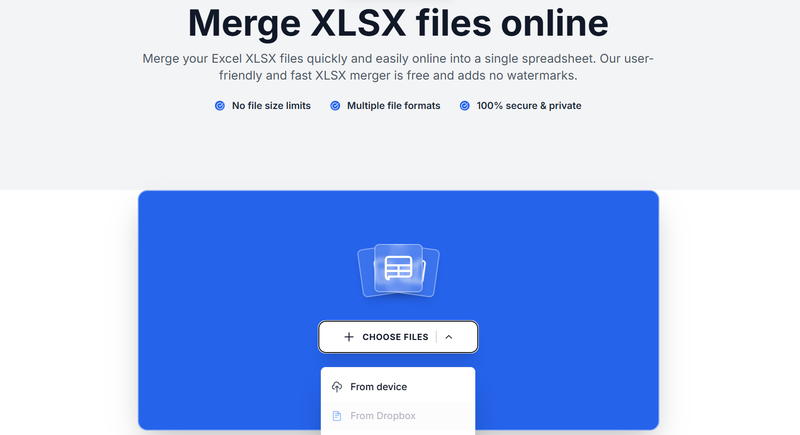
Click on the upload button or drag and drop your Excel XLSX files into the upload area. You can upload multiple files at once. Cloud uploads from Google Drive Dropbox or OneDrive are also supported.
Step 3
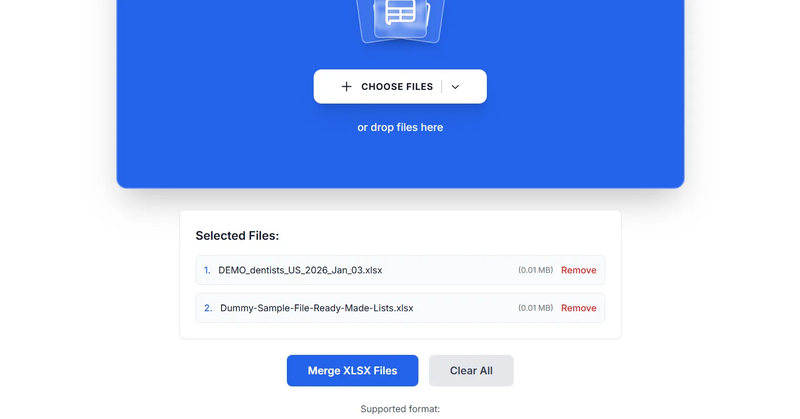
After uploading your files click the Merge XLSX Files button. The tool will process your files and combine all sheets into one Excel workbook.
Step 4
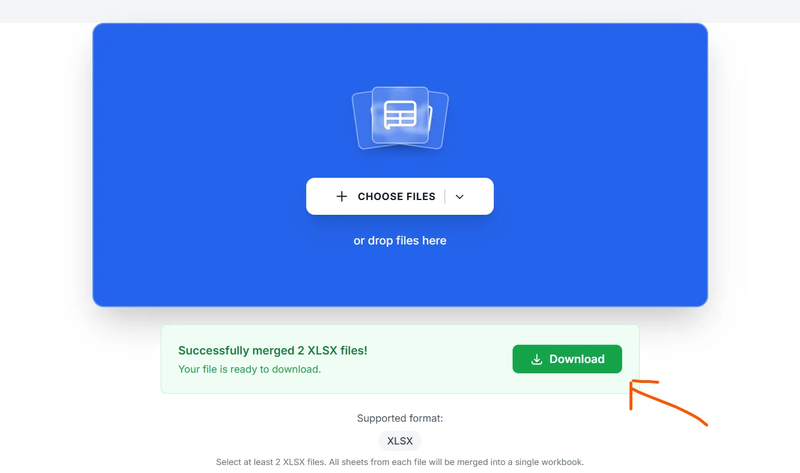
Once the merge is complete you can download the merged Excel file directly to your device or save it to your cloud storage.
A few things to know...
- Each Excel file keeps its original sheets
- If two sheets have the same name the tool automatically renames them
- Most formulas and formatting are preserved
- Only XLSX format is supported on this tool
Is It Safe to Merge Excel Files Online
Yes the MergeFiles.online Excel merger processes files securely. Uploaded files are encrypted during transfer and automatically removed after processing. This helps protect your data and ensures privacy. See our privacy policy
When Should You Use an Online Excel Merger?
You should use an online Excel merger if:
- You need to combine multiple Excel files quickly
- You do not want to install Excel software
- You are working on a shared or public computer
- You want a free and simple solution
Learning how to merge Excel files online can save you a lot of time especially when dealing with multiple spreadsheets. With tools like MergeFiles.online you can combine Excel files in just a few clicks without installing anything and without paying a fee.
If you regularly work with Excel files this tool is a must have in your workflow.
About the Author

Phyllis Mireles
Senior content writer @mergefiles.online