
How to merge PPT files online free
In this blog post, we are gonna walk through how you can merge multiple PowerPoint files into one without installing any software.


If you have ever struggled with combining slides from different presentations, this simple method will save you a lot of time.
Before we jump in, let’s quickly look at why this is useful
Maybe you created slides in separate files and now want one complete presentation
Maybe you received different PPT files from teammates or classmates
Or you just want everything organized in a single file for easy sharing
Whatever the case, merging helps you stay organized and efficient
Tool we will use
In this guide, we are gonna use a free online tool that works directly in your browser
No downloads and no sign up.
Step by step guide to merge PPT files
Now let’s get into the actual process
First, open the link above to access the tool
Once the page loads, click on the upload button and select all the PPT files you want to combine.
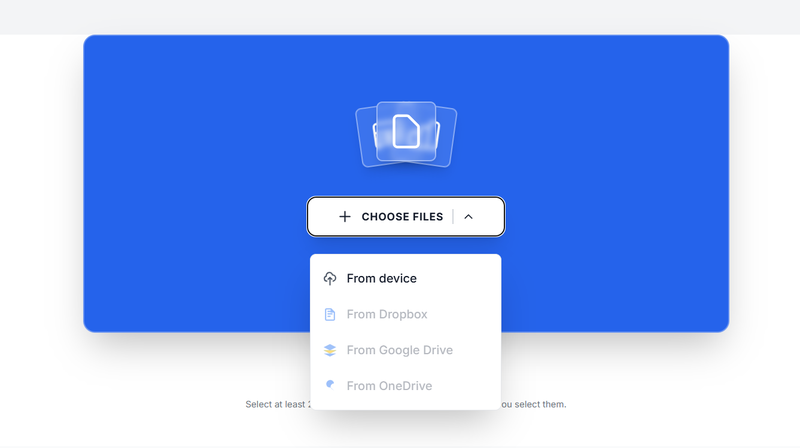
You can upload multiple files at once
After uploading, your files will appear on the screen. This part is important.
Arrange them in the exact order you want your final presentation to follow
Next, click on the merge button. The tool will begin combining your presentations into one file
Give it a few seconds depending on the size of your files
Once it is done, download your merged PowerPoint file to your device
Tips to get the best result
Always double check the order of your slides before merging
Try to use similar slide sizes across all files to avoid layout issues
Preview your final presentation after downloading
Keep your file names clear so you do not mix them up
Merging PPT files does not have to be complicated. In this blog post, we have seen how you can combine multiple presentations into one clean file using a simple online tool
Just upload your files, arrange them, merge, and download
That is all you need to do
About the Author

Phyllis Mireles
Senior content writer @mergefiles.online